Automatic trip recording
On compatible devices, Litro detects when you are driving, verifies the drive, then gets the trip ready for your review.
DRIVING, FUEL AND YOUR VEHICLE
Record trips automatically, remember parking, then connect fill-ups, maintenance, and costs in a driving record you can export.
THE ESSENTIALS, WITHOUT THE CLUTTER
On compatible devices, Litro detects when you are driving, verifies the drive, then gets the trip ready for your review.
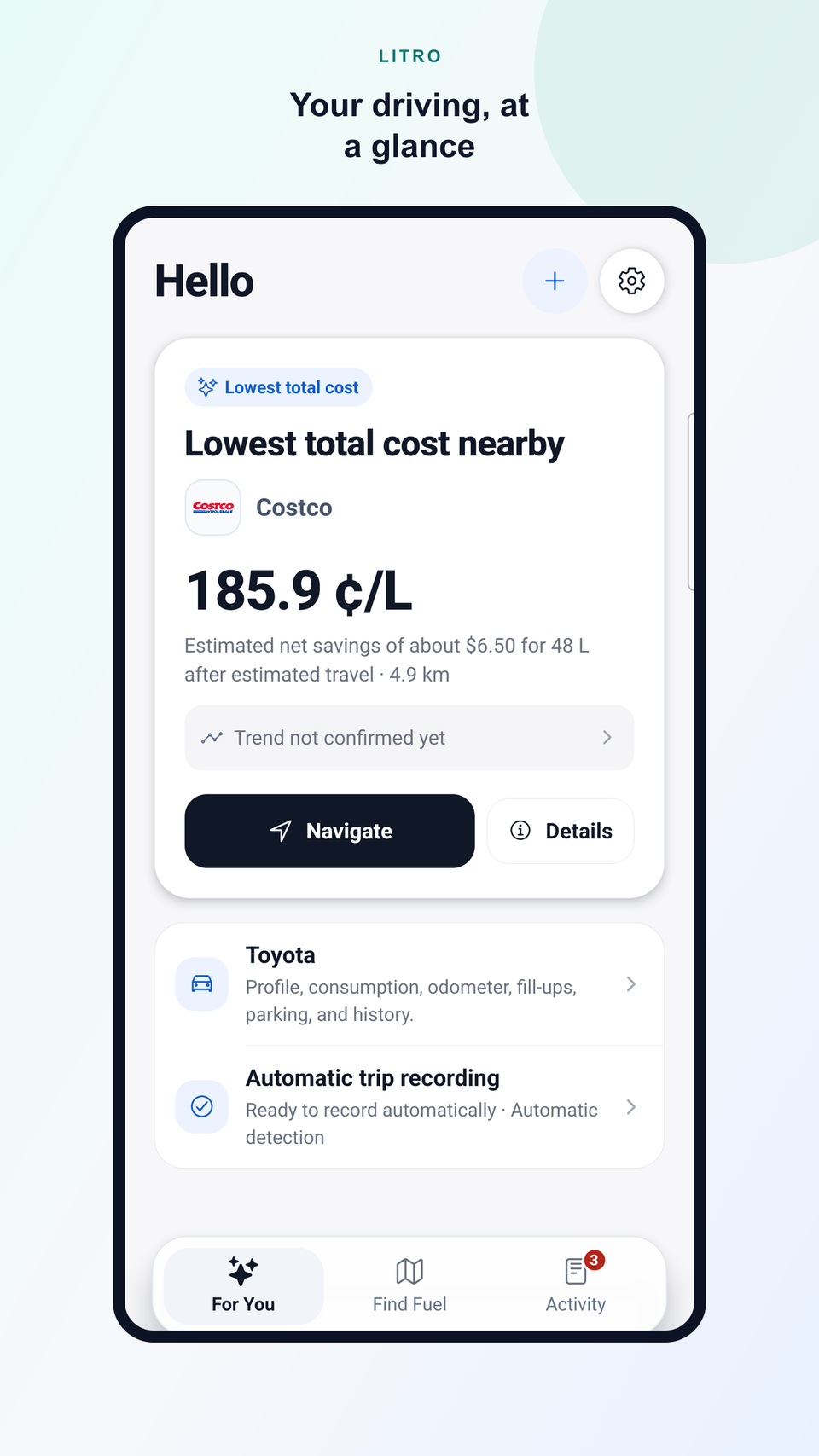
Compare price, distance, and estimated detour cost before choosing a station.
Connect trips, fill-ups, maintenance, and expenses to understand consumption, ownership costs, and savings.
AUTOMATIC TRIP RECORDING
Pair your vehicle once. Litro detects when you’re driving, verifies the trip and records your mileage automatically.
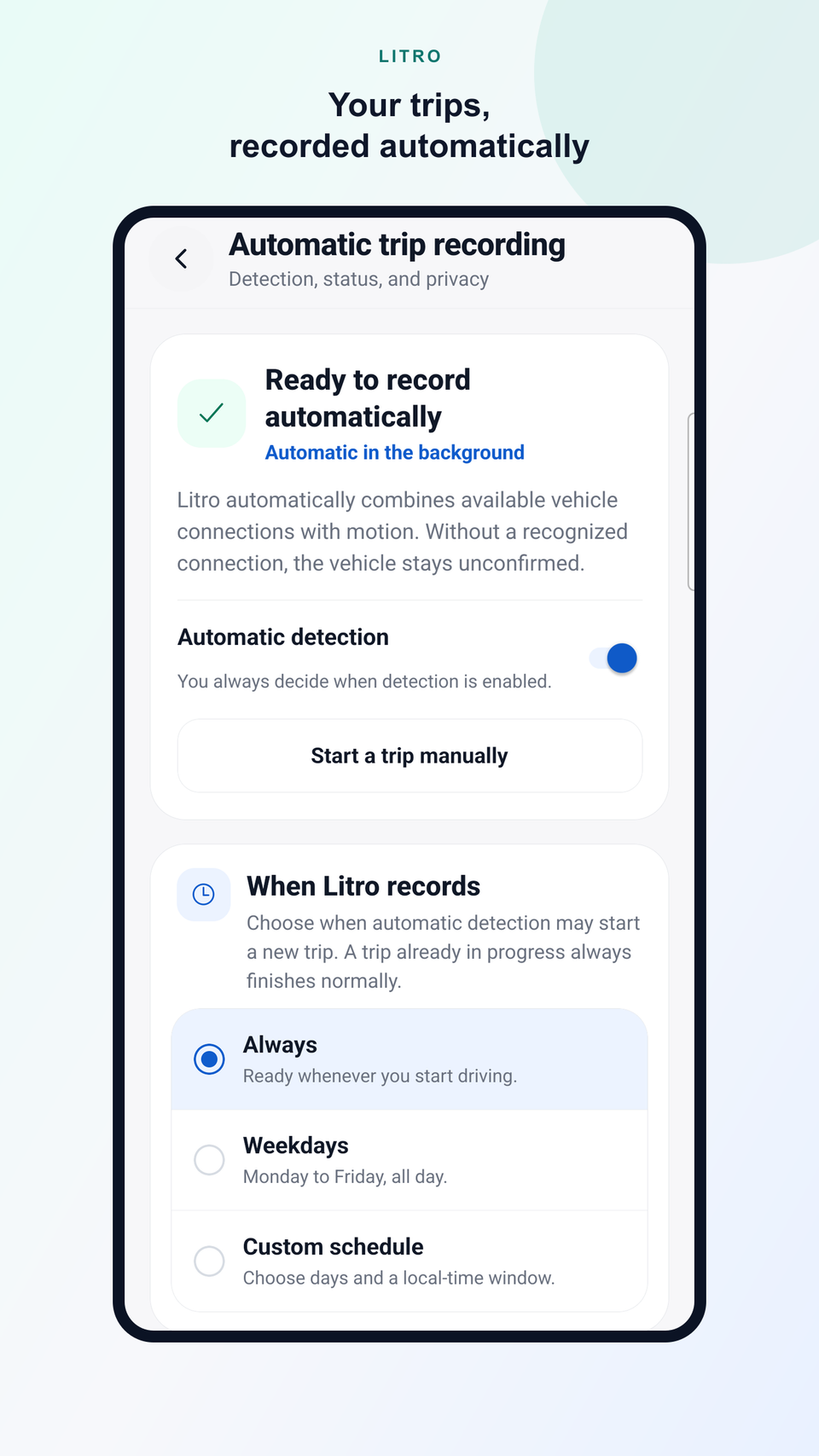
Uses your vehicle connection.
Driving is verified before a trip is created.
Review, classify, edit, or delete your trips anytime.
LITRO IN YOUR CAR
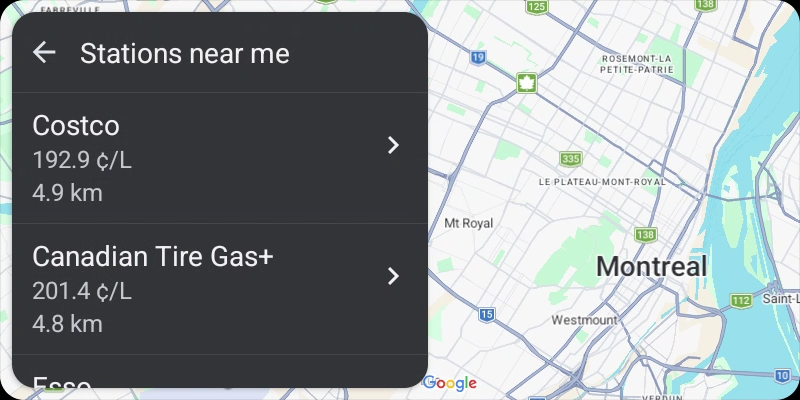
In compatible Google Play builds, Litro brings useful nearby stations to Android Auto. Check price and distance, open station details, then hand the stop to your car’s navigation app.
YOUR VEHICLE, OVER TIME
Litro can record trips automatically when your device supports it. Manual start is always there when you need it.
Keep fuel, litres, price paid, and an optional odometer reading with your vehicle.
Consumption, spending, savings, and maintenance reminders build into a useful history over time.
When it is time to stop, compare price, distance, and the estimated cost of the detour.
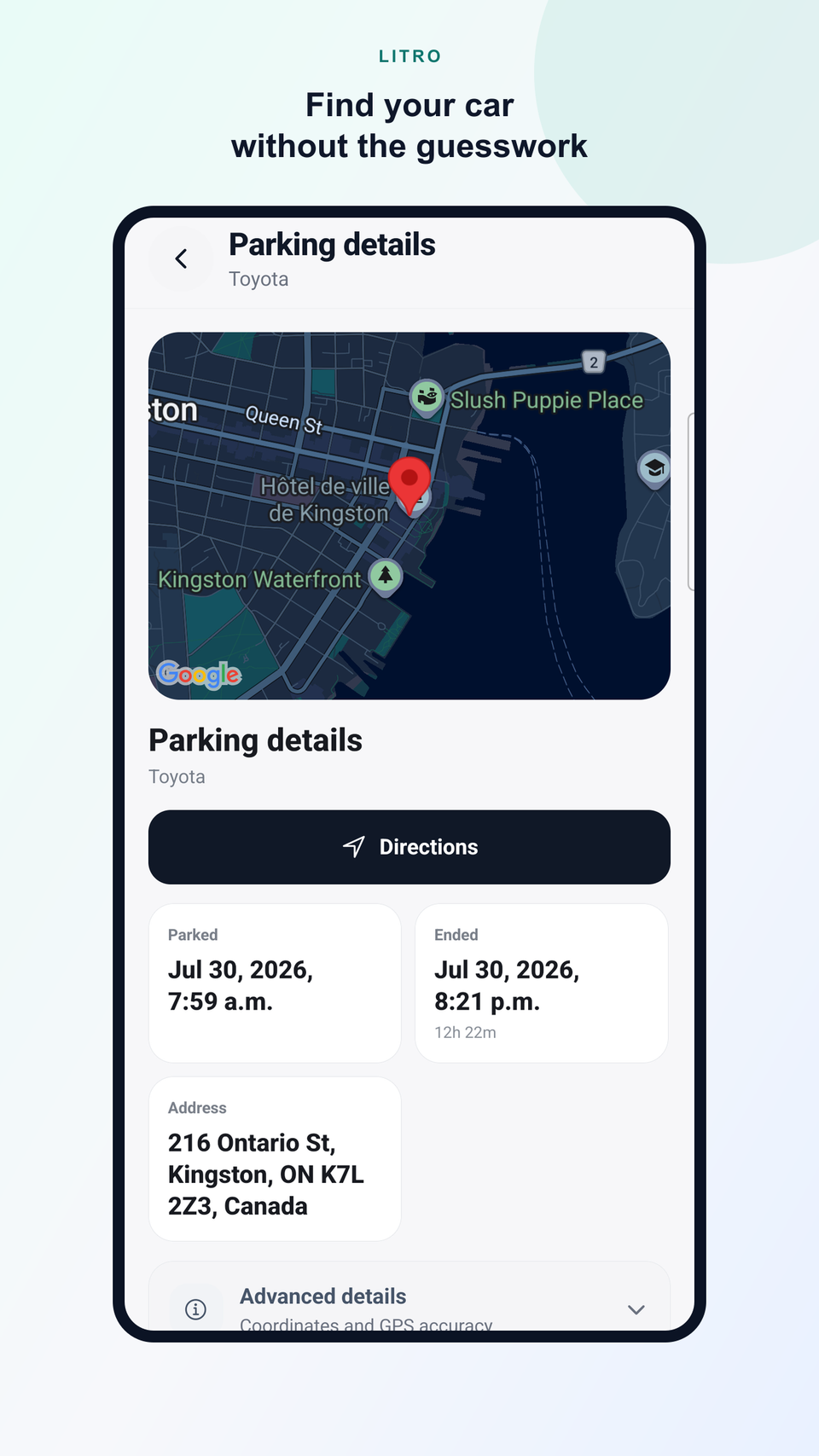
AFTER EVERY DRIVE
After a recorded trip, Litro can suggest a parked location for confirmation. Find your vehicle, open mode-neutral directions, add a reminder or cost, and end the parking session when needed.
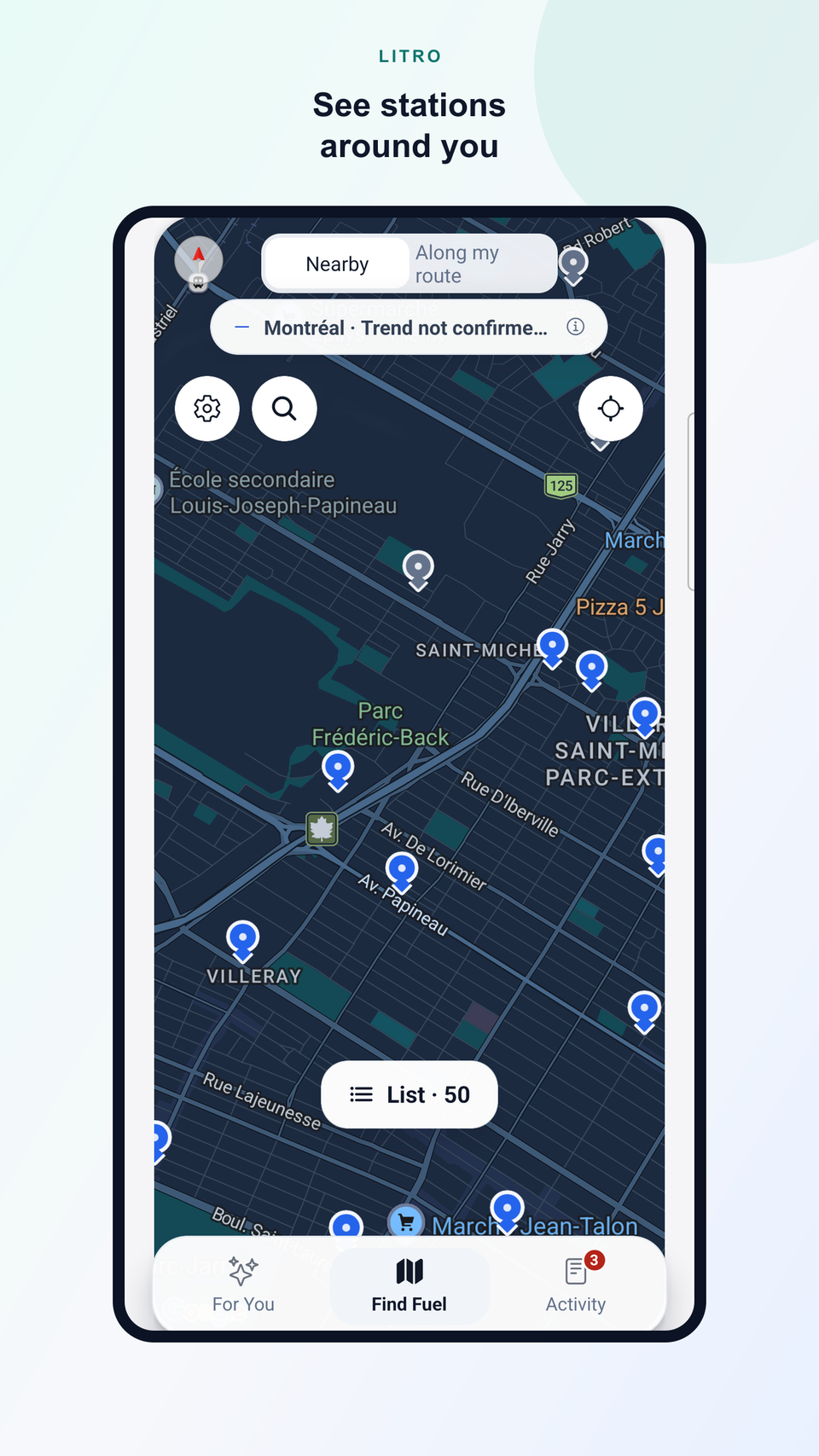
ALL AROUND YOU
The map gives you a clear overview of available stations in the area before you compare the details.
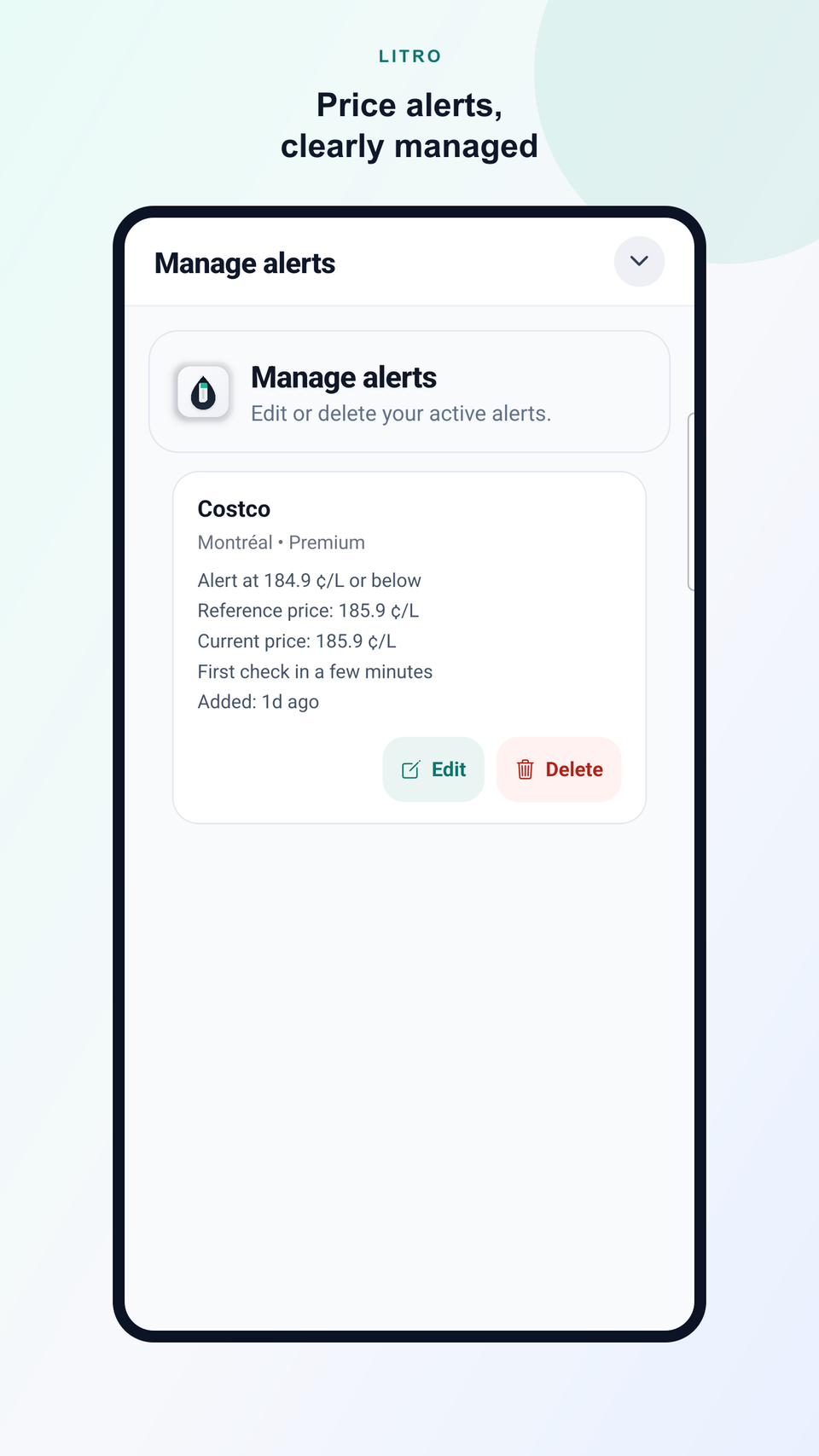
PRICE ALERTS
Litro keeps the target, reference price, current price, and next check together in one calm, clear view.
LOCAL 24-TO-48-HOUR OUTLOOK
Litro combines recent local prices with market indicators to detect periods of upward or downward pressure.
PLAN YOUR NEXT FILL-UP
Compare stations along your route and, when you choose, check whether your available range actually requires a stop.
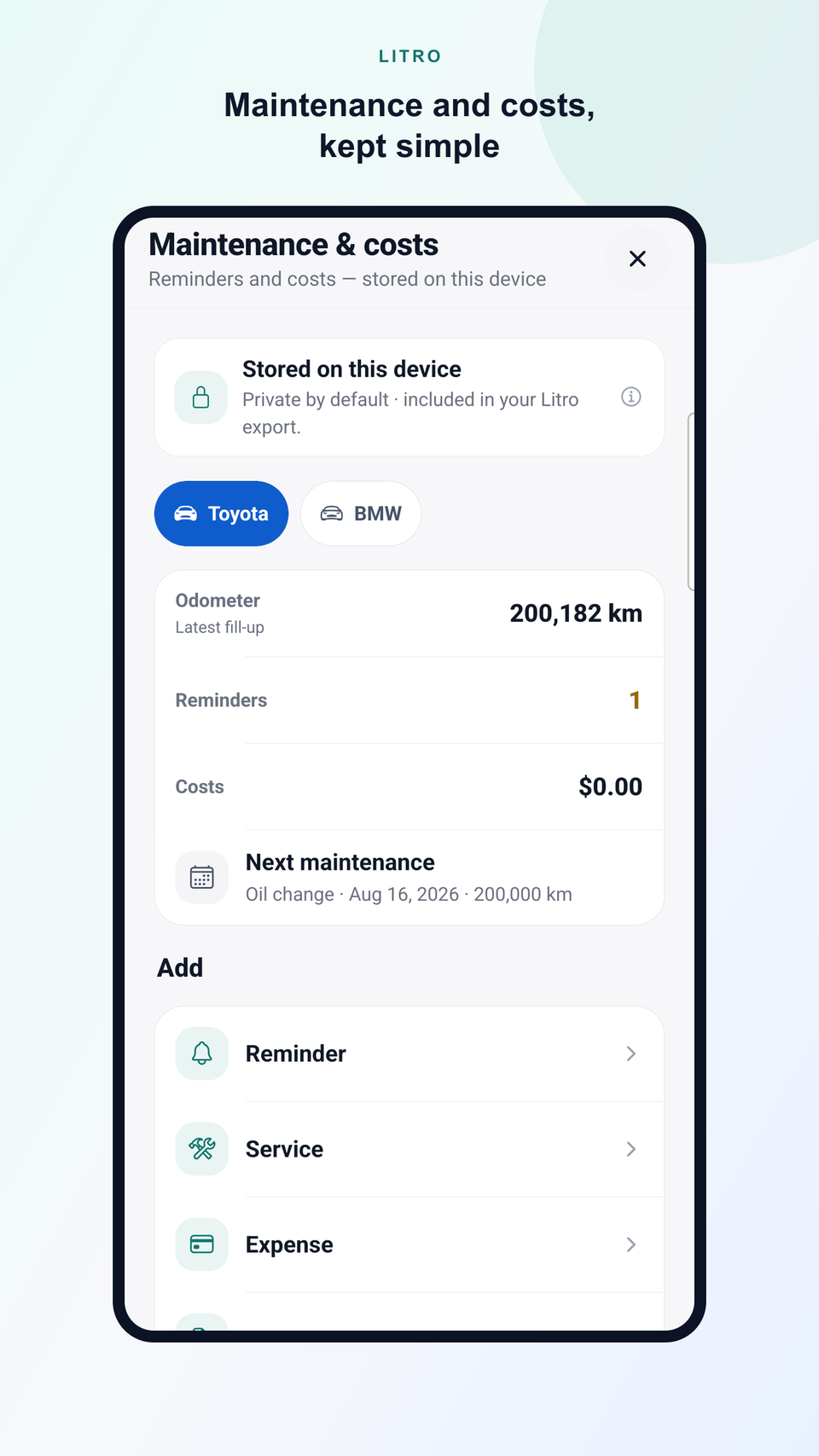
Plan a fill-upYOUR VEHICLE, BEYOND THE FILL-UP
Keep service, costs, and odometer milestones together. Set reminders for a date, yearly, every few months, or by distance, then build a useful history of your vehicle — privately on your device.
PORTABLE DATA
From Activity, export a neutral CSV by period, vehicle, or classification. Start and destination places stay out unless you include them; route coordinates are never exported.
DATA AND TRANSPARENCY
Prices come from official sources. Litro standardizes the data and clearly shows when each price was last updated.
Detour costs, driving range, and potential savings may be estimated using your vehicle, route, and recent prices. Estimated values are always shown separately from confirmed values.
Every savings estimate uses a recent reference price that Litro clearly identifies. Savings are estimates, never guarantees.
PRIVATE BY DESIGN
Your vehicles, fill-ups, trips, parking, maintenance, and notes stay local. Litro processes only the data needed when you request a search, route, or connected service.
PRICE EXPLORER
The Explorer shows available fuel prices and trends. The Litro app also connects trips, fill-ups, maintenance, vehicle history, price alerts, and savings.
Fuel-price coverage is currently available in Québec, France, and Luxembourg. Coverage varies by fuel and area. More markets are planned.
FAQ
Prices come from official or authorized sources that vary by supported market. Litro standardizes the data and shows the latest available update.
No. You can check prices and use Litro’s main features without creating an account.
Savings shown before a fill-up are estimates based on available prices, your vehicle, and the route. Savings from a confirmed fill-up are shown separately in your history.
No. Litro helps you choose a station worth stopping at, then opens directions in Waze or Google Maps.
It helps Litro estimate detour costs, driving range, and potential savings more accurately.
Yes. Litro can be downloaded directly on supported Android devices. No email address or account is required. Automatic trip recording depends on device capability and the permissions you choose to grant.
The direct download is available for supported Android devices. Features and availability may vary by platform.
Update frequency varies by source and market. Litro shows the latest available update so you can judge how current a price is.
No. Litro uses your location when you start a nearby search, request directions, or turn on trip recording. It does not track trips in the background unless you choose to record one.
Yes. Trip CSV export is available for free from Activity, without an account. Choose the period, vehicle, classification, and whether to include start and destination places. Route coordinates are never exported.
Yes. The Price Explorer lets you check available fuel prices and trends for free.
LITRO FOR ANDROID
Download Litro directly on Android—no email address or account is required.
LITRO