
No extra hardware
Uses your vehicle connection.
FROM TRIP TO REPORT
Record trips automatically, review the details, and export your driving log.
Free · No account required
Free invite-only preview
Automatic recording requires a compatible Android device and setup.
FROM TRIP TO REPORT
Let Litro detect your trips on a compatible device, or start recording manually.
Check the details and choose Personal, Business or Commute. You stay in control.
Export your local CSV for free. Litro Plus adds PDF and Excel statements during the invite-only preview.
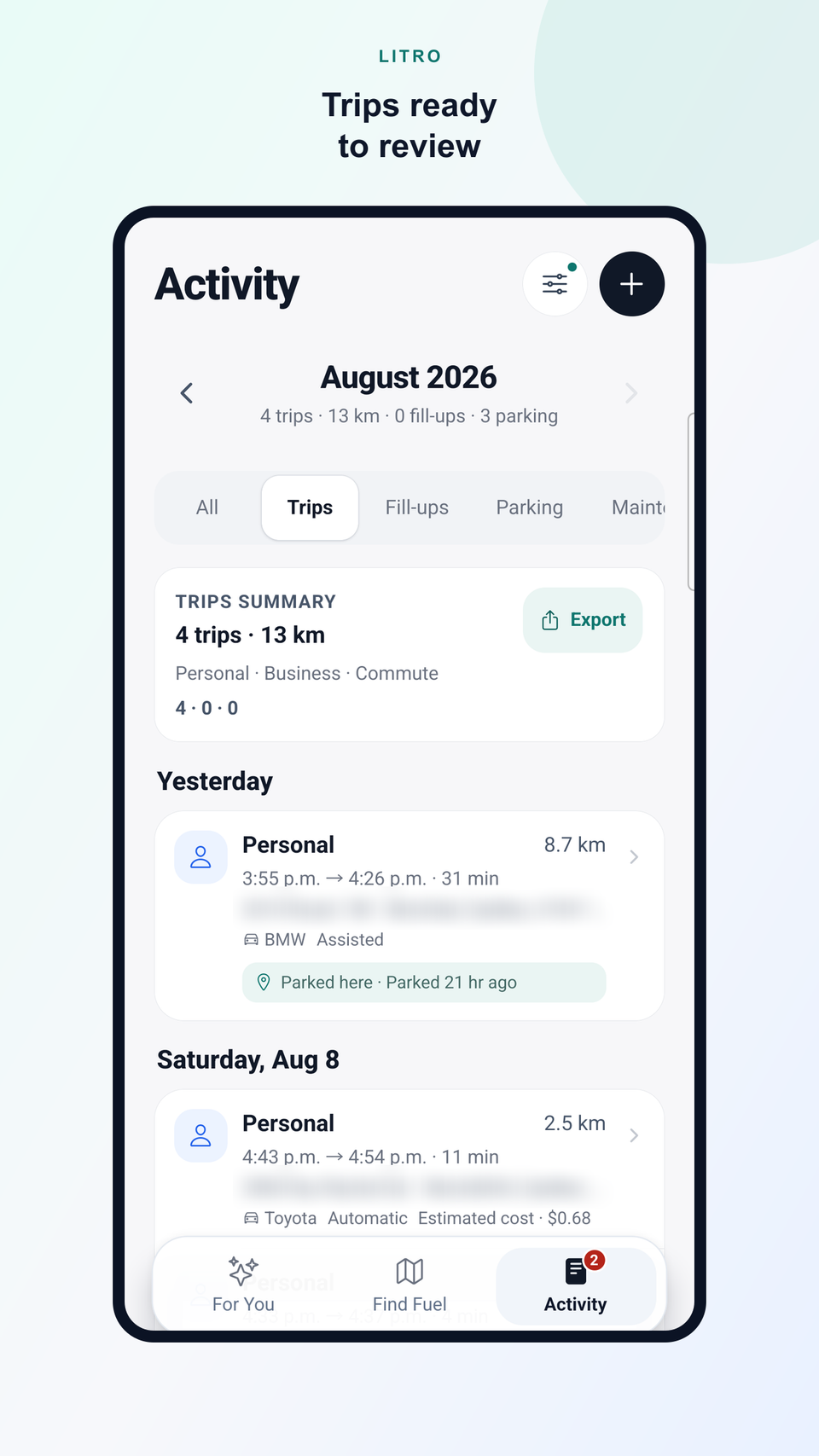
AUTOMATIC TRIP RECORDING
Pair your vehicle once. Litro detects when you’re driving, verifies the trip and records your mileage automatically.
Uses your vehicle connection.
Driving is verified before a trip is created.
Review, classify, edit, or delete your trips anytime.
EXPENSE REPORTS
From Activity, export a neutral CSV by period, vehicle, or classification. Start and destination places stay out unless you include them; route coordinates are never exported.
LITRO PLUS
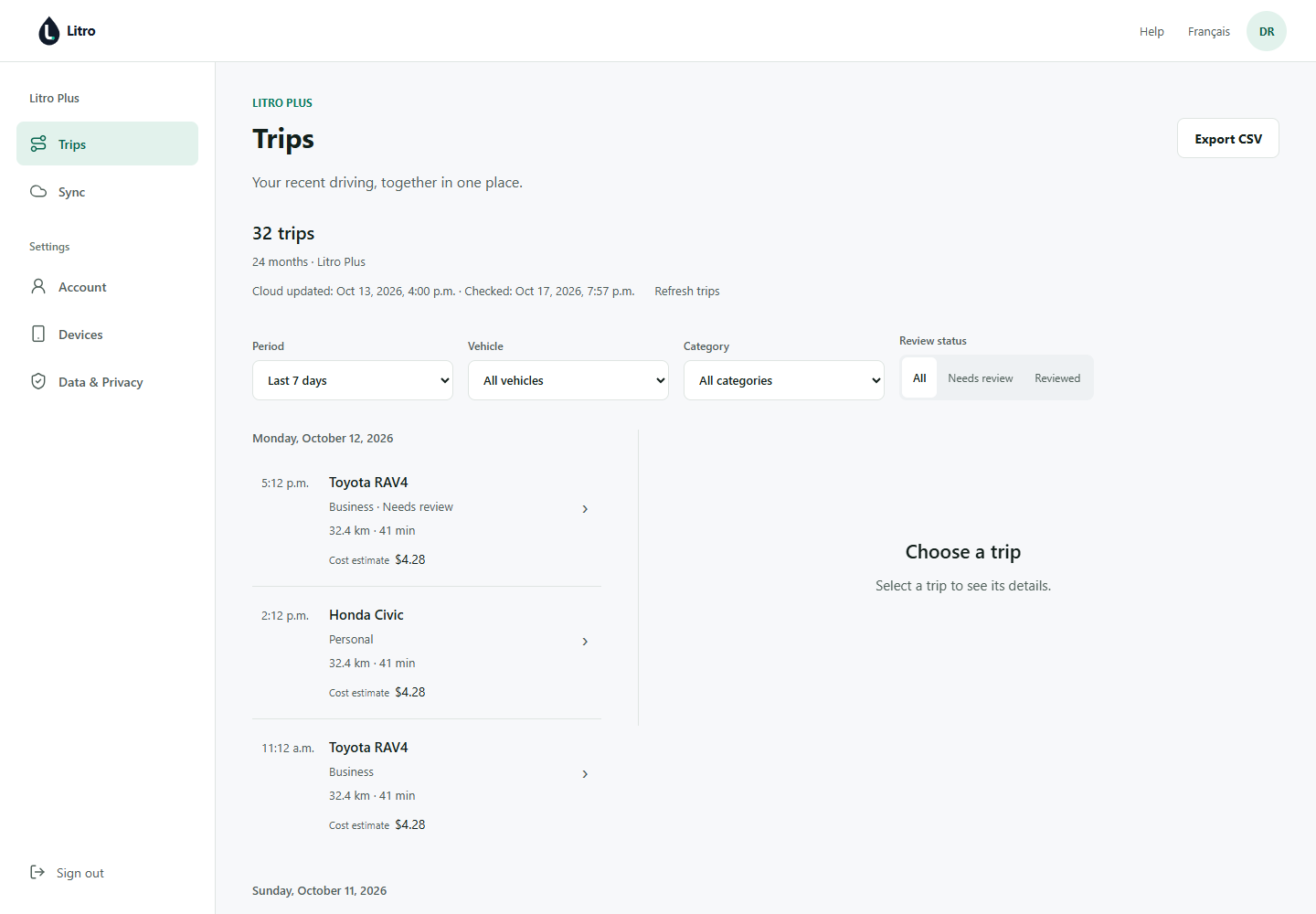
Sync your trips, review your history in your browser, and export PDF or Excel reports.
Free invite-only preview
Free during the preview. No card required. No automatic charge.
Useful between trips, too
Compare available prices, plan a fill-up and keep your vehicle costs in context.
Compare available prices and weigh the detour before choosing your next stop.
Keep your parking location, reminders and costs alongside your trips.
Keep service reminders, expenses and vehicle history in one place.
DATA AND TRANSPARENCY
Prices come from official sources. Litro standardizes the data and clearly shows when each price was last updated.
Detour costs, driving range, and potential savings may be estimated using your vehicle, route, and recent prices. Estimated values are always shown separately from confirmed values.
Every savings estimate uses a recent reference price that Litro clearly identifies. Savings are estimates, never guarantees.
PRIVACY
Litro uses your location when you search nearby, request directions, or turn on trip recording. It does not track trips in the background unless you choose to record one. You remain in control of alerts, local data, and usage analytics.
PRICE EXPLORER
The Explorer shows available fuel prices and trends. The Litro app also connects trips, fill-ups, maintenance, vehicle history, price alerts, and savings.
Trip tracking works anywhere. Fuel-price coverage is currently available in Québec, France, and Luxembourg. Coverage varies by fuel and area. More markets are planned.
FAQ
Yes. Litro is available on Google Play for supported Android devices. No Litro account is required for the main features.
Yes. Core tools, local recording and history, and basic CSV remain free. Litro Plus is optional and invitation-only.
Let Litro detect your trips on a compatible device, or start recording manually. Automatic recording requires a compatible Android device and setup.
An approved invitation includes the free Plus preview. A request alone does not grant access. Existing approved invitees are included. Free during the preview. No card required. No automatic charge.
Yes. Trip CSV export is available for free from Activity, without an account. Choose the period, vehicle, classification, and whether to include start and destination places. Route coordinates are never exported.
No. You can check prices and use Litro’s main features without creating an account.
Litro is available on Google Play for Android. The App Store version is not available yet.
Notify me when Litro launches on iPhoneNo. Litro uses your location when you start a nearby search, request directions, or turn on trip recording. It does not track trips in the background unless you choose to record one.
Prices come from official or authorized sources that vary by supported market. Litro standardizes the data and shows the latest available update.
Update frequency varies by source and market. Litro shows the latest available update so you can judge how current a price is.
Savings shown before a fill-up are estimates based on available prices, your vehicle, and the route. Savings from a confirmed fill-up are shown separately in your history.
No. Litro helps you choose a station worth stopping at, then opens directions in Waze or Google Maps.
It helps Litro estimate detour costs, driving range, and potential savings more accurately.
Yes. The Price Explorer lets you check available fuel prices and trends for free.
FROM TRIP TO REPORT
Record trips automatically, review the details, and export your driving log.
Free · No account required
LITRO